Features / Custom Workflow Features
EMR Chart Population using Submitted Form Contents
Our slide interface allows clinics to create a form that patients can use to submit their information and medical history, and that interfaces with their EMR for easy chart population.
Overview
Users are guided through a step-by-step process, which can include entering in their demographic details, mention previous medical history and concerns, and consent to the clinics policies.
Submissions will be parsed, formatted, and organized within Veribook. From there, the provider can easily view and manage submissions.
Additionally, by integrating with the provider's EMR, demographic information can be swiftly generated from the submitted data with just one click.
Patient Experience
Live Demo
A live demo of slides are available here: Intake Form Submission.
The above link will show you the user experience. Images at the bottom of this document show the clinic-view.
Example slides

Demographic Information
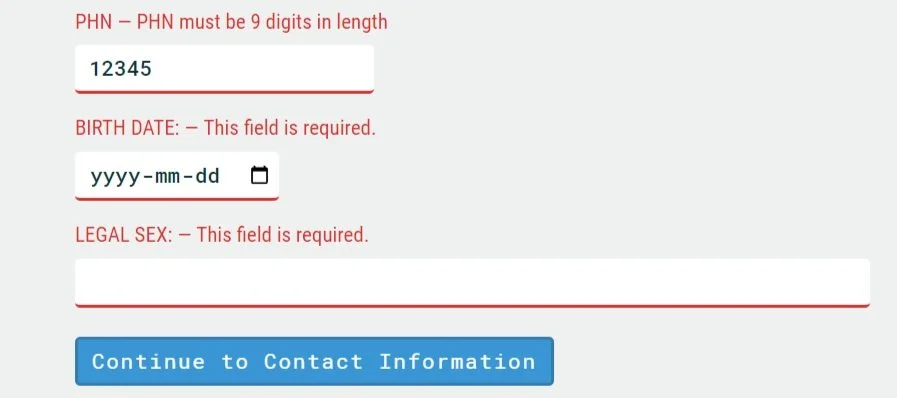
Patients must complete their demographic information including their legal name, preferred name, and their health card information.
Contact Information
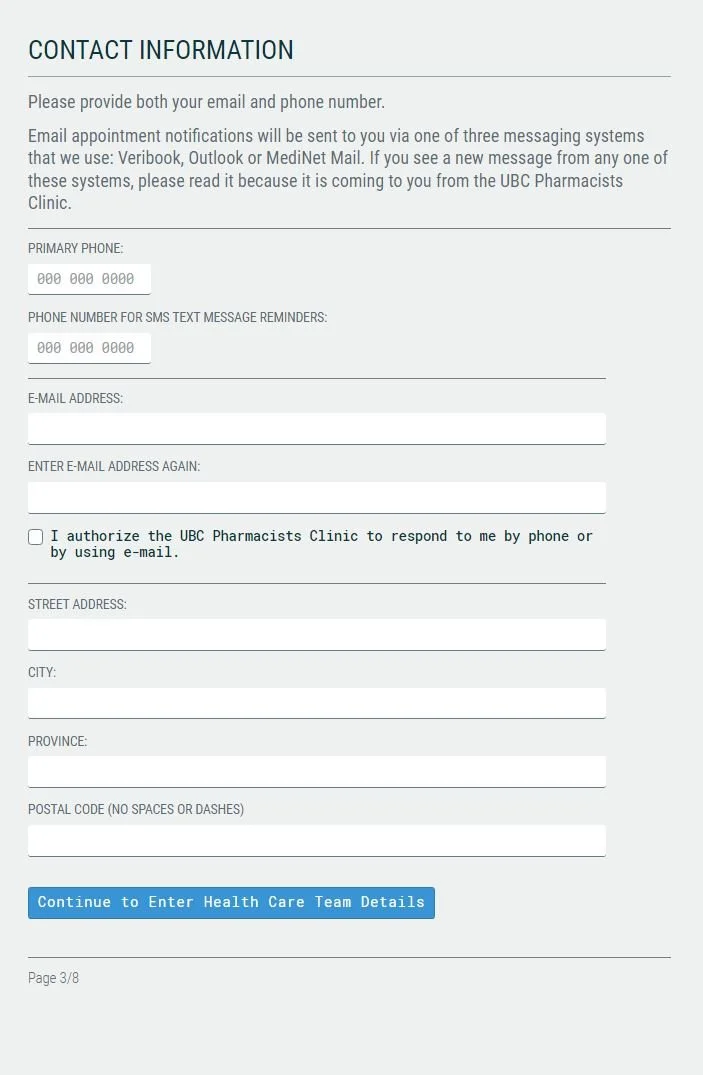
Patients must enter their primary phone number, email address and home address. The form has double checks to make sure some information is correctly typed - such as email.

Acknowledgments / Consent
Patients complete consents and opting in / out. This might be items such as, consenting to email communication, and consenting to have a student learner participate in their care.
Clinic Experience
EMR Integration
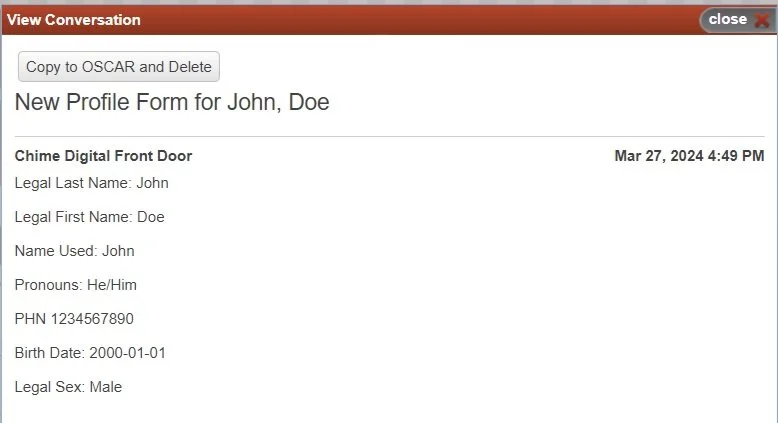
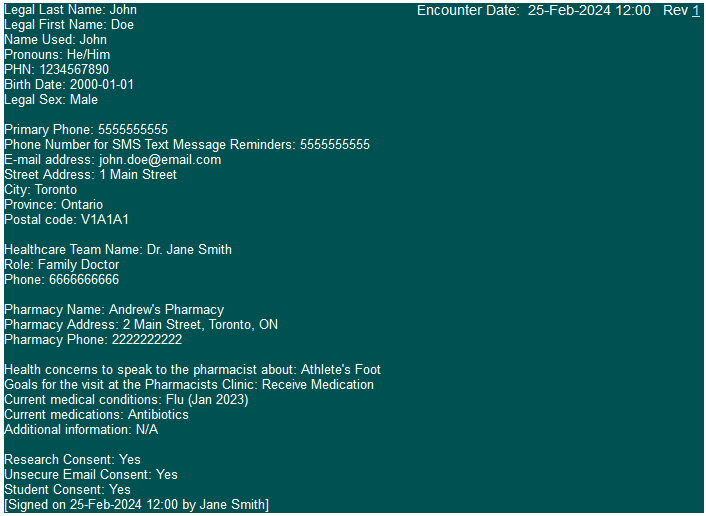
Submissions will be parsed, formatted, and organized within Veribook. From there, the provider can easily view and manage submissions. Additionally, by integrating with the provider's EMR, demographic information can be swiftly generated from the submitted data with just one click.
Configurable Form Fields
Providers may configure a range of form fields for users to enter in their information. These fields may include the ability to enter plain text, select options form dropdowns, or acknowledge prompts with checkboxes. All the data entered will then be parsed into a readable format for submission into a patients chart.
Data Types and Validation
Fields are configurable with different data types as well as allowing plain text entry.
Options are available to validate what is entered in each field, ensuring clean data is received.