Features / Configuration Level / Auto-Rooming
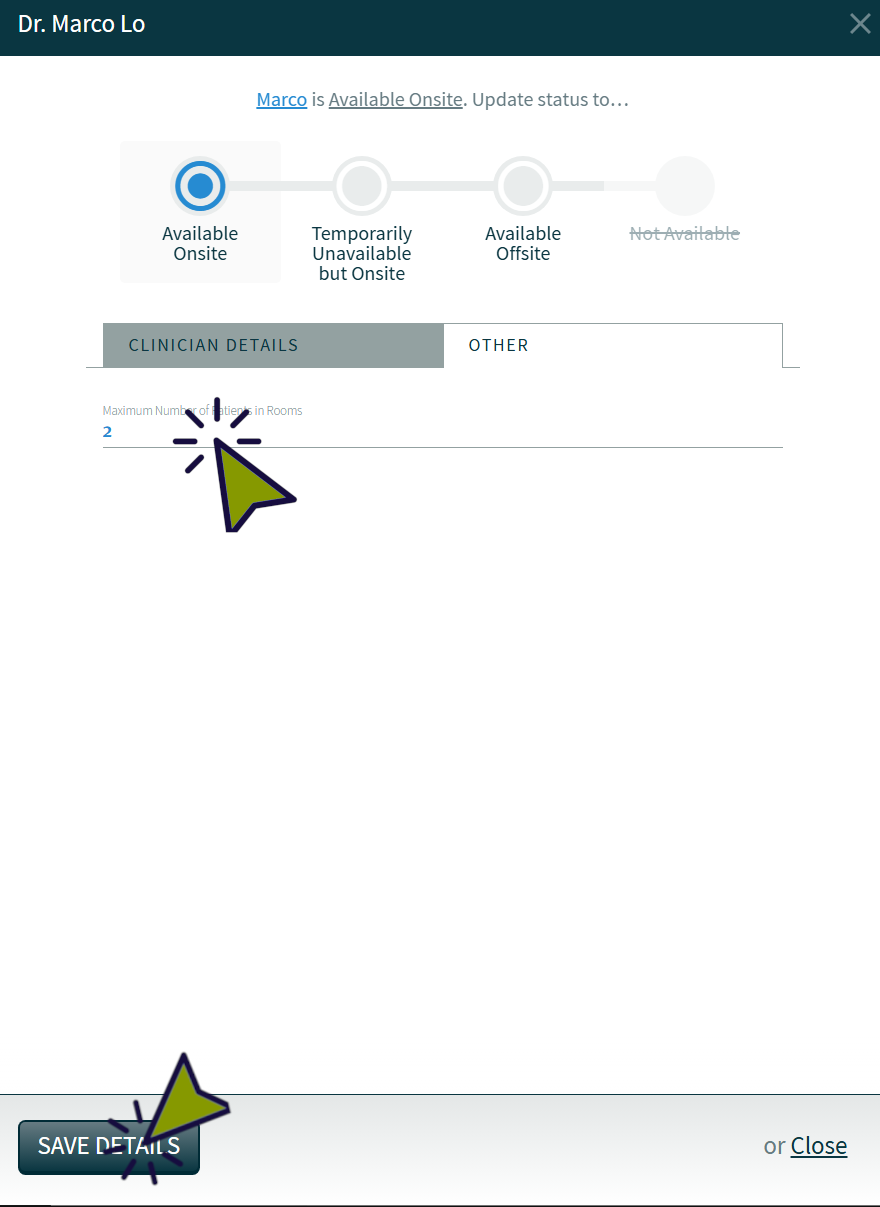
Maximum Number of Patients Waiting in Exam Rooms
By default, CHIME will usually automatically room a maximum of 2 patients per clinician. This is intended to help ensure that all physicians in the clinic are able to make use of exam rooms in an efficient manner, without having one physician’s patients take up all of the exam rooms if they happen to be early. This also helps to prevent situations where patients are sitting alone in an exam room for a long period of time and become impatient or wander the clinic.
In some cases, you may need to change this number, either on a long term or short term basis. To do so, you can use the following steps.
Note that this number is changed on a per-clinician basis and does not “reset” after being changed. It will need to be changed individually for any relevant clinicians, and changed back if it’s only intended for the short term.
To use this feature:
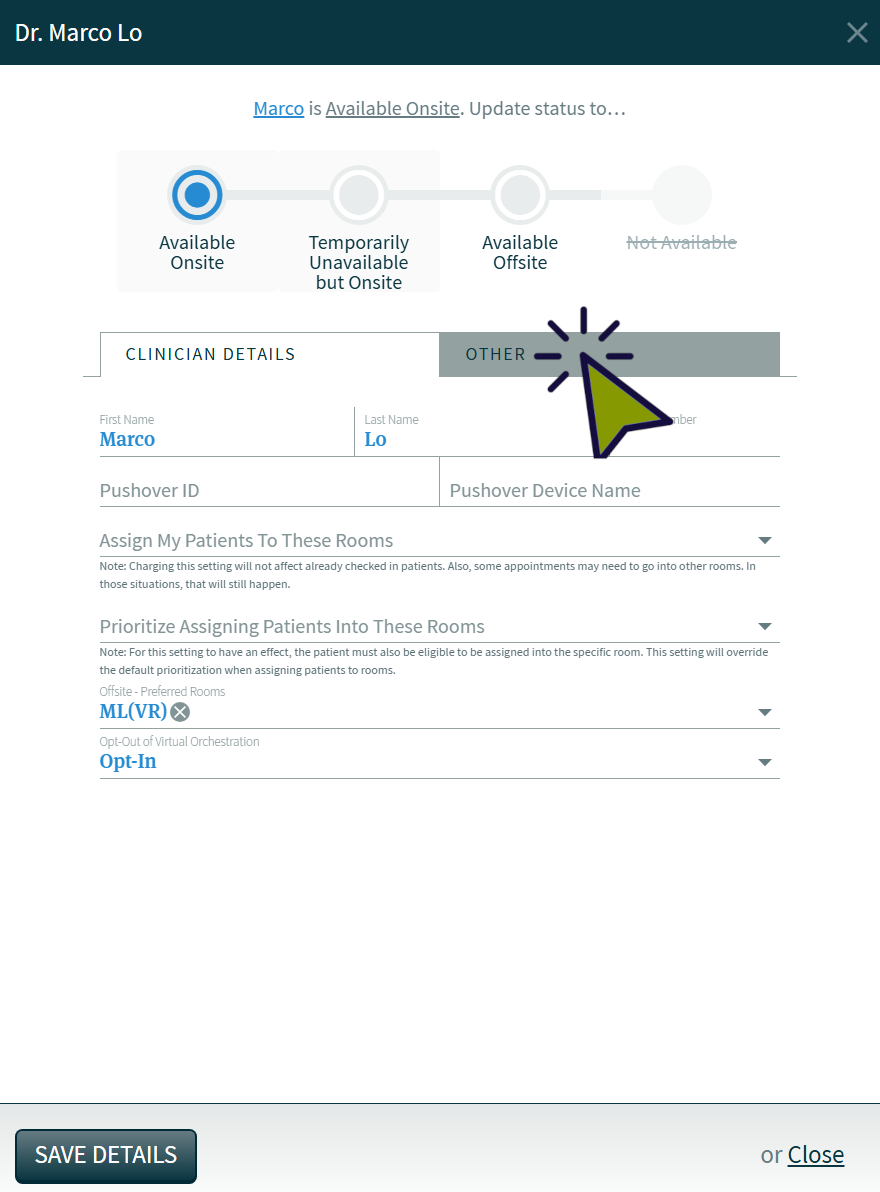
1) Click on the clinician name

2) Click on the “Other” tab.
3) Change the number to the maximum number of patients you would prefer, then click “Save Details”