
Questions / Potential Client FAQs
Can CHIME Accommodate Alternative Options for Displaying Patient Names?
We’re sometimes asked: “Can CHIME accommodate alternative options when it comes to displaying patient names & appointment details while still supporting auto-rooming & patient wayfinding?”
Let’s explore what’s possible.
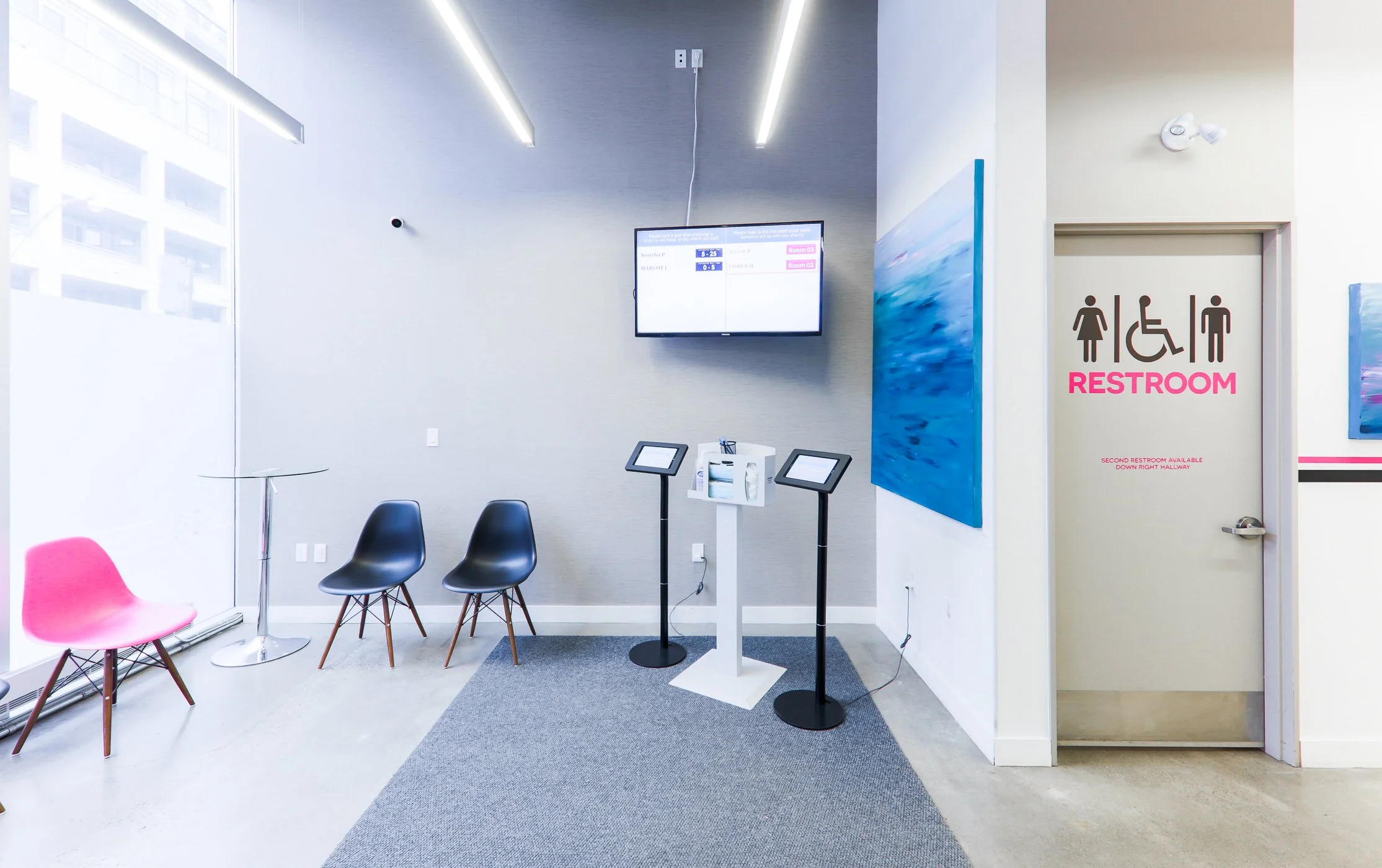
In general, CHIME has struck a careful balance between using “privacy by design” principles to ensure its technology is usable and accessible to a wide range of individuals, while still capable of meeting applicable legal and regulatory requirements in respect of privacy. Despite that, our clients will sometimes hear concerns from a small number of their patients about what CHIME displays publicly on the waiting room screen, kiosk, and possibly room tablets. When these concerns arise they typically cluster around the following points:
Patient names being shown publicly
Patient and Clinician / Room names being shown publicly / announced
Compliance with applicable legislation
In the context of these concerns, clients may also have questions about best practices for
Handling similar / duplicate patient names
Providing opt-out options for certain patients
A Typical CHIME Deployment
Let’s take a look at a typical CHIME deployment to see what information gets displayed on some of CHIME’s components:
|
|
Appointment |
Patient |
Patient |
Clinician |
Assigned |
|
Check-in Kiosk |
✅ |
✅ |
❌ |
✅ |
-- |
|
Waiting Room Display |
❌ |
✅ |
INITIAL ONLY |
❌ |
✅ |
|
Room Tablets |
❌ |
✅ |
INITIAL ONLY |
✅ |
✅ |
Our Recommendation
Clinics should start with our default deployment approach (described above), then:
If real-world use cases such as self check-in, auto-rooming, or patient wayfinding are not working successfully, request clinic-level and/or clinician-level adjustments (described below) to ensure these use cases work successfully.
If specific patients raise concerns about privacy, exclude those patients from CHIME entirely. This simple approach keeps things straightforward and avoids unnecessary choice and complexity.
These patients will be expected to check-in with reception for their appointments
CHIME will not auto-room these patients
Staff / clinicians will have to manually track these patients outside of CHIME
Please contact the CHIME Support Team for help implementing these recommendations.
Clinic-Level Adjustments
These adjustments are made on the clinic level and affect all clinicians and all patients at the clinic. Our advice is to attempt to strike a reasonable balance for your particular needs, recognizing that there is no one option that will satisfy all stakeholders and eliminate complaints. This is why clinician-level and patient-level adjustments are important.
A) Constrain which appointments are shown on the Check-in Kiosk
When a patient checks-in on the kiosk we display an appointment list that they can scroll through to find their first name, appointment time and clinician name. By default, we only display appointments within 1 hour of the current time. Appointments too far in the past or the future are hidden entirely. This “appointment list window” is configurable and can be reduced or enlarged to accommodate your clinic’s volume of appointments.
C) Display privacy compliance message on the Check-in Kiosk
The Check-in Kiosk can display a custom privacy compliance message telling patients how their information is used, this can be done at any point in the check-in flow. This might be helpful if your organization has specific internal policies that need to be communicated.
E) Add the appointment time — alongside the patient name — to the Waiting Room Display
This adjustment can be useful when clinics have a high volume of patients and are worried about handling similar / duplicate patient names. Please note that this option has the potential to increase the frequency of patient privacy complaints.
B) Filter the appointments shown on the Check-in Kiosk
We can also apply a filter on the “appointment list window” by asking the patient the first letter of their name and then only displaying patients that match that selection. This adjustment can be useful when clinics have a high volume of patients and are worried about handling similar / duplicate patient names.
D) Add the clinician name — alongside the patient name — to the Waiting Room Display
This adjustment can be useful when clinics have a high volume of patients and are worried about handling similar / duplicate patient names. Please note that this option has the potential to increase the frequency of patient privacy complaints.
F) Adjust patient’s last name to show the first 2 or 3 letters — instead of just the initial — on the Waiting Room Display
This adjustment can be useful when clinics have a high volume of patients and are worried about handling similar / duplicate patient names, but do not want to display any additional appointment details. Please note that this option has the potential to increase the frequency of patient privacy complaints.
G) Replace patient name altogether on the Waiting Room Display
This adjustment can be useful for clinics providing care in particularly high sensitivity areas such as gender-affirming care. An alternative method to identify patients will have to be used (e.g. the last 4 digits of the patient’s phone number). This option should be considered only after other options have been exhausted.
Please contact the CHIME Support Team for help implementing any of these adjustments.
Clinician-Level Adjustments
These adjustments are made per clinician and therefore only affect those clinicians and their patients. Implementing these adjustments can be useful when a subset of clinicians in a clinic provide more sensitive services (e.g. mental health workers).
A) Use a generic clinician name (e.g. “Staff Clinician”) on the Check-in Kiosk
B) Hide all patients for a specific clinician from the Check-in Kiosk Only
C) Hide all patients for a specific clinician from the Waiting Room Display Only
D) Hide all patients for a specific clinician from both the Check-in Kiosk AND Waiting Room Display
E) Not importing all patients for a specific clinician into CHIME at all
Please contact the CHIME Support Team for help implementing any of these adjustments.
Patient-Level Adjustments
As noted above, we strongly recommend that the only patient-level adjustment that is made is to exclude certain patients from CHIME altogether. This straightforward approach will reliably address patient complaints, as well as reduce operational complexity, confusion and the risk of mistakes.
However, patient-level adjustments like the ones below are in theory also possible. They’re listed here for completeness and to show what can be done, but we strongly advise against them:
Have the Waiting Room Display instruct the patient to remain sitting and wait to be escorted
Hide the patient from the Check-in Kiosk Only
Hide the patient from the Waiting Room Display Only
Hide the patient from both the Check-in Kiosk AND Waiting Room Display
Please contact the CHIME Support Team for help implementing any of these adjustments.